
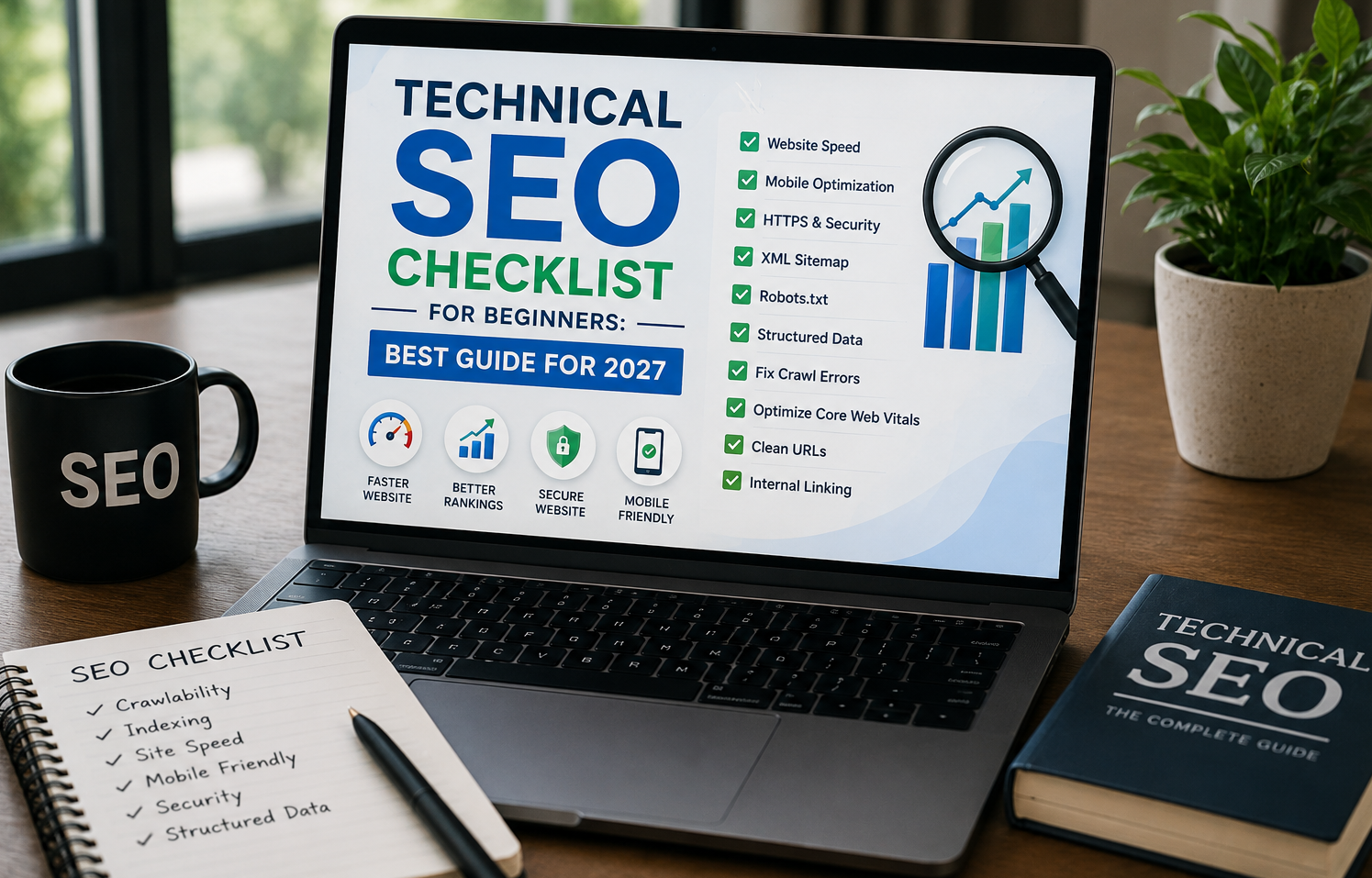
Introduction
Technical SEO is the foundation of every successful website. While high-quality content and backlinks help improve rankings, search engines first need to crawl, understand, and index your website properly. If your website has technical issues, even the best content may struggle to appear in search results.
For beginners, Technical SEO may seem complicated because it involves website structure, page speed, indexing, security, mobile optimization, and many other technical factors. However, you don’t need to be a developer to understand the basics.
This complete Technical SEO Checklist for Beginners will walk you through every essential step to help improve your website’s visibility on Google and other search engines in 2027.
What is Technical SEO?
Technical SEO refers to optimizing the technical aspects of your website so search engines can crawl, index, and rank your pages efficiently.
Unlike On-Page SEO, which focuses on content and keywords, Technical SEO improves your website’s infrastructure.
Technical SEO helps:
- Improve website speed
- Increase crawl efficiency
- Enhance user experience
- Boost search rankings
- Reduce indexing problems
- Improve Core Web Vitals
- Make your website mobile-friendly
Why Technical SEO Matters
Search engines want to deliver the best possible experience to users. If your website loads slowly, has broken links, or isn’t mobile-friendly, Google may rank competitors higher.
Benefits include:
- Faster indexing
- Better rankings
- Improved website performance
- Lower bounce rate
- Higher user engagement
- Increased conversions
- Better crawl budget usage
Technical SEO Checklist for Beginners
1. Use HTTPS Security
One of the first things Google checks is whether your website is secure.
Install an SSL certificate so your website loads as:
instead of
Benefits:
- Encrypts user data
- Builds trust
- Google ranking signal
- Required for modern browsers
2. Make Your Website Mobile-Friendly
More than half of internet users browse on mobile devices.
Google uses Mobile-First Indexing, meaning it primarily evaluates the mobile version of your website.
Checklist:
- Responsive design
- Readable fonts
- Clickable buttons
- Proper spacing
- No horizontal scrolling
- Optimized images
3. Improve Website Speed
Website speed directly affects rankings and conversions.
Slow websites increase bounce rates and reduce user satisfaction.
Ways to improve speed:
- Compress images
- Enable browser caching
- Minify CSS
- Minify JavaScript
- Remove unused plugins
- Use lazy loading
- Optimize fonts
- Enable GZIP compression
4. Optimize Core Web Vitals
Core Web Vitals measure the real user experience.
Focus on:
Largest Contentful Paint (LCP)
Measures loading speed.
Target:
Less than 2.5 seconds
Interaction to Next Paint (INP)
Measures responsiveness.
Target:
Less than 200 milliseconds
Cumulative Layout Shift (CLS)
Measures visual stability.
Target:
Less than 0.1
Improving these metrics helps both users and rankings.
5. Create an XML Sitemap
An XML sitemap tells search engines about all important pages on your website.
Benefits:
- Faster indexing
- Better crawling
- Easier discovery of new pages
Your sitemap usually looks like:
Submit it through Google Search Console.
6. Create a Robots.txt File
The robots.txt file tells search engines which pages they can crawl.
Example:
User-agent: *
Disallow: /admin/
Sitemap: https://yourwebsite.com/sitemap.xml
Avoid blocking important pages accidentally.
7. Fix Crawl Errors
Search engines encounter crawl errors when pages cannot be accessed.
Common errors include:
- 404 Not Found
- Server errors
- Redirect loops
- DNS issues
Monitor crawl errors regularly in Google Search Console and fix them promptly.
8. Remove Broken Links
Broken internal and external links create a poor user experience.
Broken links:
- Waste crawl budget
- Frustrate visitors
- Reduce SEO performance
Replace or redirect broken URLs.
9. Use SEO-Friendly URLs
Good URL structure helps both users and search engines.
Example:
Good:
yourwebsite.com/technical-seo-checklist
Bad:
yourwebsite.com/page?id=12345
Tips:
- Keep URLs short
- Use keywords
- Avoid unnecessary numbers
- Use hyphens instead of underscores
10. Optimize Internal Linking
Internal links connect pages across your website.
Benefits:
- Better navigation
- Improved crawlability
- Higher page authority distribution
- Longer user sessions
Link relevant articles naturally within your content.
11. Fix Duplicate Content
Duplicate pages confuse search engines.
Common causes:
- HTTP vs HTTPS
- WWW vs non-WWW
- Printer-friendly pages
- Product variations
Use canonical tags to specify the preferred version.
Example:
<link rel=”canonical” href=”https://yourwebsite.com/page”>
12. Optimize Images
Large images slow websites.
Checklist:
- Compress images
- Use WebP format
- Add descriptive filenames
- Include ALT text
- Enable lazy loading
Example ALT text:
“Technical SEO checklist infographic”
13. Add Structured Data
Structured data helps search engines understand your content.
Popular schema types include:
- Article
- FAQ
- Product
- Organization
- Local Business
- Review
- Breadcrumb
Rich results improve visibility in search.
14. Optimize Navigation
Your website should have a clear structure.
Example:
Home
→ Blog
→ Categories
→ Articles
Avoid burying important pages deep within the site.
15. Create Breadcrumb Navigation
Breadcrumbs improve navigation and user experience.
Example:
Home → SEO → Technical SEO → Checklist
They also help search engines understand page hierarchy.
16. Optimize Pagination
Large websites often use pagination.
Example:
Page 1
Page 2
Page 3
Ensure paginated pages are crawlable and maintain a logical sequence.
17. Use Clean Redirects
When changing URLs, always use:
301 Permanent Redirects
Avoid redirect chains.
Example:
Page A
↓
Page B
↓
Page C ❌
Instead:
Page A
↓
Page C ✅
18. Improve Website Architecture
A logical structure helps both users and search engines.
Example:
Home
Services
SEO Services
Technical SEO
Blog
Contact
Keep important pages within three clicks from the homepage whenever possible.
19. Monitor Indexing
Sometimes pages are published but never indexed.
Check indexing status regularly in Google Search Console.
Common reasons for non-indexing:
- Noindex tag
- Duplicate content
- Poor quality
- Crawl issues
20. Check Canonical Tags
Canonical tags prevent duplicate content problems.
Always verify that each important page references itself or the correct canonical version.
21. Optimize for Crawl Budget
Large websites should help search engines crawl efficiently.
Remove:
- Duplicate pages
- Thin pages
- Broken URLs
- Unnecessary redirects
This allows search engines to spend more time on valuable content.
22. Reduce JavaScript Issues
Heavy JavaScript can prevent search engines from seeing your content properly.
Best practices:
- Server-side rendering where appropriate
- Lazy-load non-critical scripts
- Minimize JavaScript
- Avoid unnecessary animations
23. Improve User Experience
Technical SEO and UX work together.
Focus on:
- Fast loading
- Simple navigation
- Easy readability
- Mobile usability
- Clear menus
- Accessible design
A positive user experience often leads to better engagement and stronger SEO performance.
24. Monitor Website Health Regularly
Technical SEO isn’t a one-time task.
Perform monthly audits.
Check:
- Crawl errors
- Indexing
- Broken links
- Site speed
- Core Web Vitals
- Redirects
- Sitemap
- Security
- Structured data
Regular maintenance helps prevent small issues from becoming major problems.
Beginner Technical SEO Checklist
Use this checklist to stay on track:
- HTTPS enabled
- Mobile-friendly design
- Fast page speed
- Optimized Core Web Vitals
- XML sitemap submitted
- Robots.txt configured
- No crawl errors
- No broken links
- SEO-friendly URLs
- Strong internal linking
- Duplicate content fixed
- Optimized images
- ALT text added
- Structured data implemented
- Breadcrumb navigation
- Proper redirects
- Healthy website architecture
- Canonical tags checked
- Indexing monitored
- JavaScript optimized
- Website audited regularly
Common Technical SEO Mistakes
Avoid these beginner mistakes:
- Ignoring mobile optimization
- Publishing without HTTPS
- Forgetting XML sitemaps
- Using oversized images
- Blocking important pages in robots.txt
- Creating duplicate pages
- Leaving broken links unresolved
- Slow-loading pages
- Missing ALT text
- Not monitoring Google Search Console
Final Thoughts
Technical SEO is the backbone of a successful website. Without a strong technical foundation, even the most engaging content can struggle to rank in search engines.

As a beginner, you don’t need to master every advanced concept immediately. Start with the essentials: secure your website with HTTPS, improve page speed, optimize for mobile devices, create an XML sitemap, fix crawl errors, and monitor your site’s health regularly. These improvements can significantly enhance your website’s visibility and user experience.
Remember that Technical SEO is an ongoing process rather than a one-time task. Search engine algorithms continue to evolve, and regular audits ensure your website remains optimized and competitive. By following this Technical SEO checklist, you’ll build a strong foundation that supports higher rankings, better user engagement, and sustainable organic growth in 2027 and beyond.